Carefree hybrid working with the User in Freedom


Are you a Voys customer? Then you have at least one of these: the User. You use the User to log in to your Freedom area. But the User is much more than just a login. It is a smart, multifunctional tool that allows you to manage your company’s accessibility in a flexible and clear manner.
In this blog, I will explain exactly how to make the most of the User, so that you and your colleagues can work wherever and whenever you want.
One login for all Voys products
With the User, you not only access Freedom, but all Voys products. Super convenient, with one login you can use:
- the Freedom portal
- the Voys App
- the Voys Webphone
- the Click-and-Call extension
Do you work with multiple colleagues? Adding a User in Freedom is a piece of cake. Good to know: you can assign rights to each User. This prevents colleagues from accidentally activating paid services or changing important settings in the switchboard without your knowledge.
Linking the User to your devices
To get the most out of the User, link all your devices to your user account. That may not sound very interesting at first, but appearances can be deceiving. By linking devices to your User, you can set up your control panel in an extra smart and convenient way. More on that later.
All colleagues optimally accessible with their own User
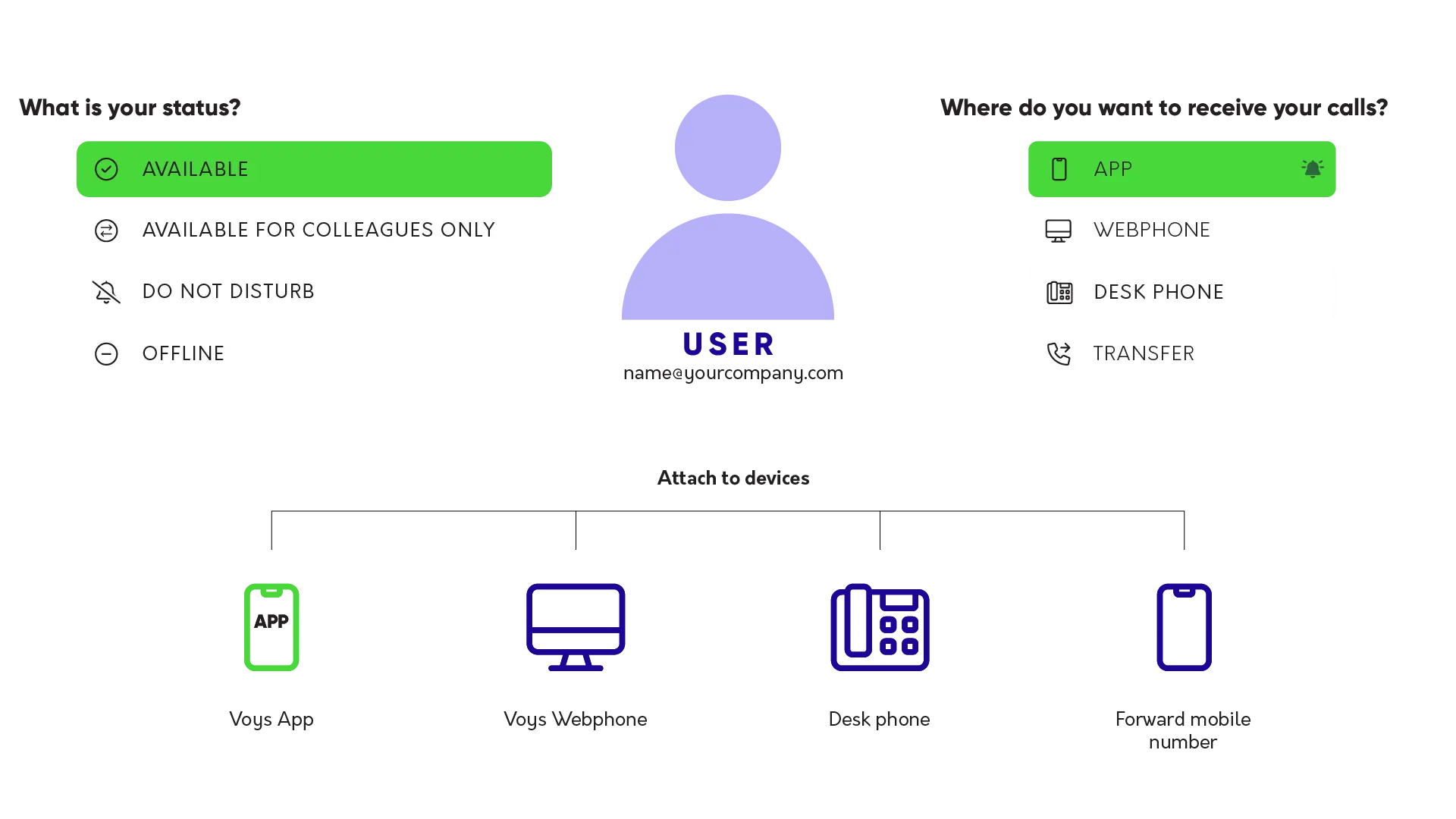
If you want to use the User on a personal basis, each colleague will need their own user account. You link the devices your colleague uses to that User, for example, the Voys App, the Voys Webphone, the desk phone, and/or the colleague’s mobile (private) phone number.
And now the power of the User comes into play: as a User, you decide whether and, if so, on which devices you can be reached. You can do this directly from the app or webphone, so you don’t have to log in to the Freedom telephone exchange to adjust your availability.
Thanks to the User, you can easily switch your availability via, for example, your app or webphone. It’s up to you where you want to be reachable (or not). This makes hybrid working super smooth. If you’re on the road, you can easily switch to your mobile phone. Taking a break? Simply put yourself offline. Or are you just sitting down at your desk in the office? Then switch your availability to your desk phone or webphone.
Voys Pulse: insight into the availability status of your colleagues
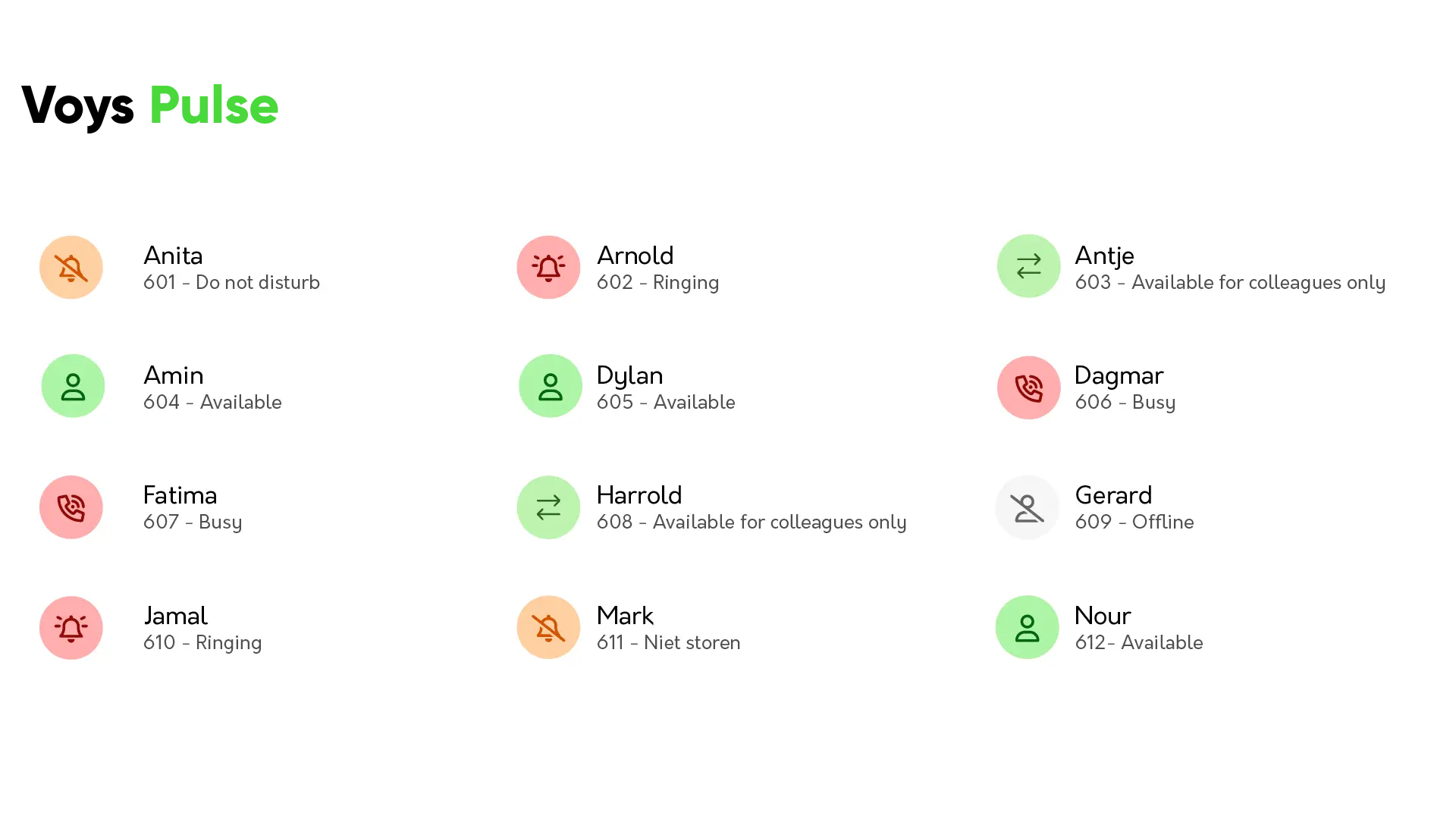
Have you set up the User as personal in your telephone exchange? Then Voys Pulse gives you immediate insight into the status of your colleagues.
In one overview, you can see who:
- is available
- is on the phone
- is temporarily unavailable
You can find this overview in the app, the web phone, and in Freedom. Do you have someone on the line who would like to be transferred to a specific colleague? Then you can immediately see whether that colleague is available. Based on this overview, you can easily decide, for example, to temporarily add extra colleagues to a call group or remove them from it.
Transfer calls faster, scale up available colleagues, or let the caller know that the colleague they want to speak to is currently unavailable: this insight allows you to immediately adjust the number of users at any time of the day.
We’ll spare you the rest of the examples (we’re enthusiastic, and who can blame us?), but just remember this: with Voys Pulse, you’ll never have to check whether your colleague is available or on which device. Voys Pulse does that for you!
One internal phone number for all devices
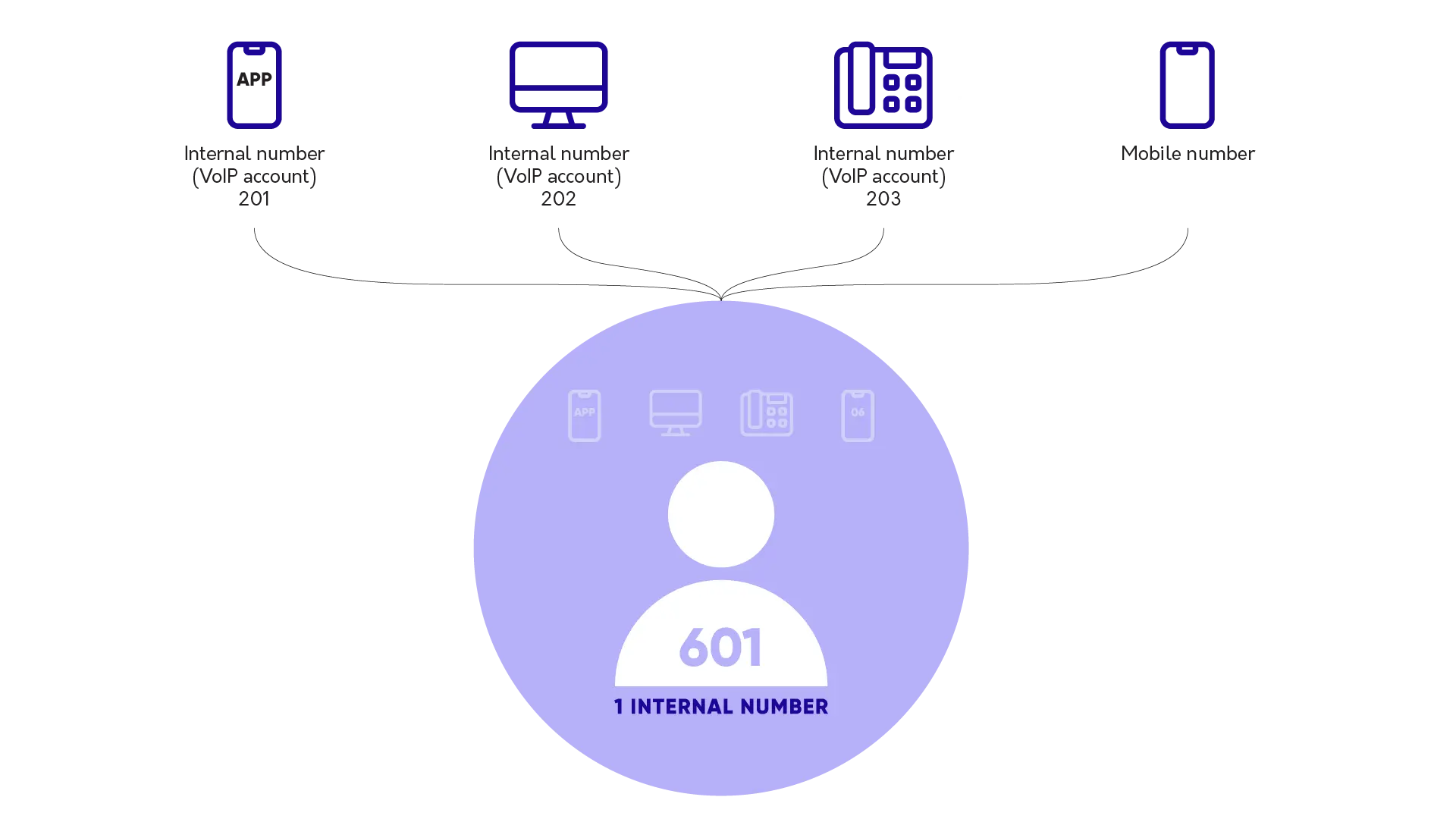
All those separate internal phone numbers in your organization are impossible to keep track of. We agreed. The User solves this problem for you with a single internal phone number. Want to reach a colleague? Just call their user number. Your colleague will receive the call on the device that is set up to receive their calls.
No more calling your colleague’s office chair when they are available on their web phone at home. Every call goes straight to the right place.
Do all your colleagues have a desk phone, app, web phone, and a mobile number? Then you would have had a long list of internal numbers in Freedom. Now you have an overview, because all these devices can be linked to one User, and only one internal number is linked to that User.
Using your User in Freedom
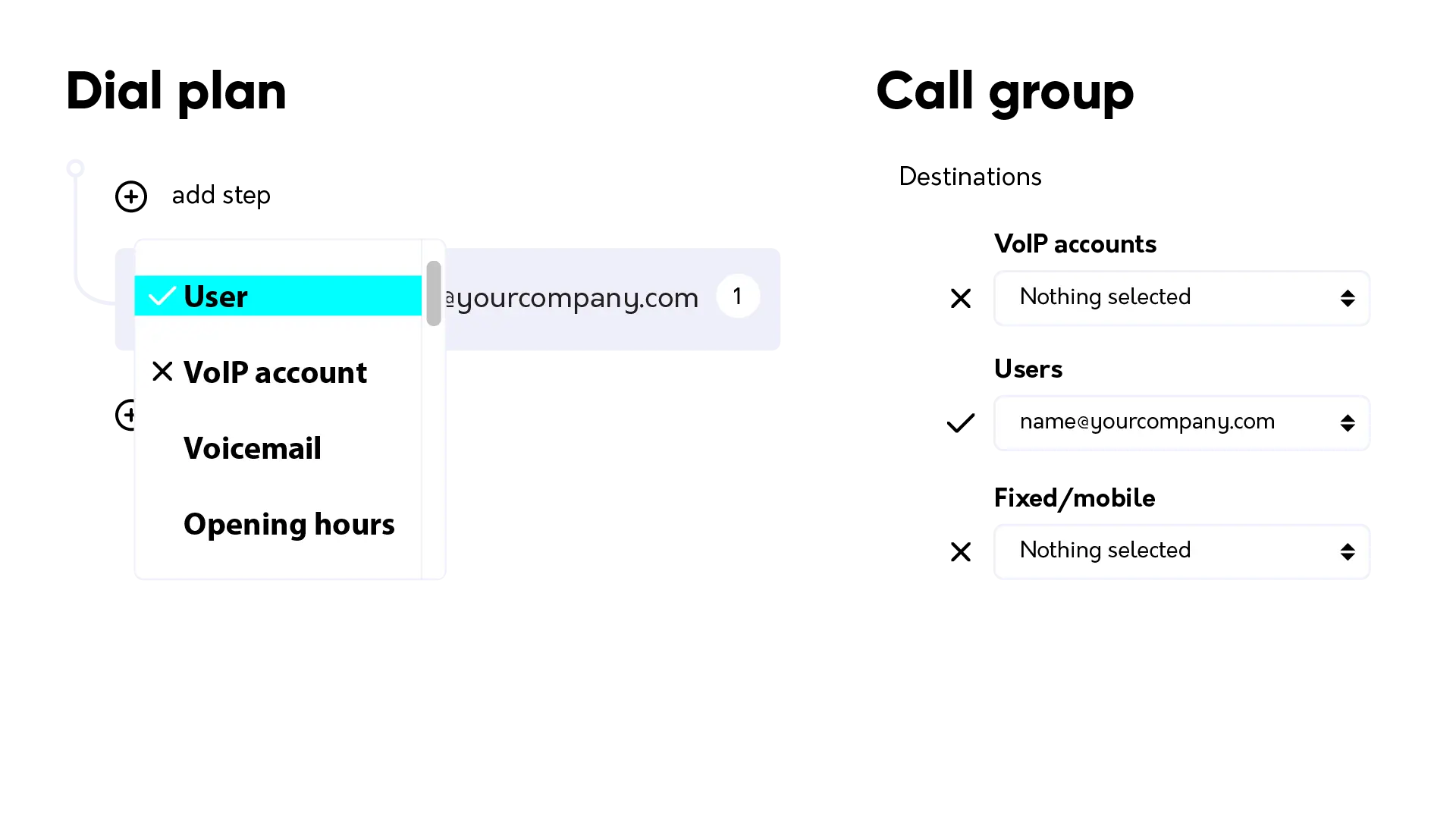
Want to get the most out of your User? Don’t forget to select the User in Freedom instead of the individual devices (VoIP accounts). For example, in your calling plan or your calling group.
Hybrid working with the User
Hybrid working means freedom and convenience, which usually makes for happy colleagues. Working at the office, at home at the kitchen table, or even during a workation in Bali, with the User in the Freedom telephone exchange, that’s no problem at all. The choice is yours and your colleagues’.
With the User, you ensure that your telephony moves with your team. No separate devices, no confusion, and above all, no hassle. Just one clear structure that works as it should: simple, flexible, and well-organized.
This allows you and your colleagues to work wherever you want, while remaining optimally accessible to your customers. Win-win!
Explore the VoIP Provider Everyone’s Talking About
Voys has been shaping the VoIP landscape for years. We don’t follow trends, we create them. Every product we launch is crafted to stay ahead, keeping businesses connected in smarter, simpler ways. Find out more about Voys below.
Learn more about everyones favourite Business Telephony Provider – Discover Voys. We’re not your typical telephony provider; we focus on creating real impact.
Reducing a Negative Impact on the Planet – By default, businesses leave a mark on our planet. Offices, commuting, and energy use all contribute to a carbon footprint. At Voys, we’re committed to reducing this impact. Learn more about how we’re making a difference.
VoIP Telephony – For 19 years, Voys has been providing cloud telephone systems, making us one of the most experienced providers in cloud telephony and VoIP. Forget about physical PBXs – our VoIP solution lets you use your business phone number from anywhere.